Description
1. Product Overview
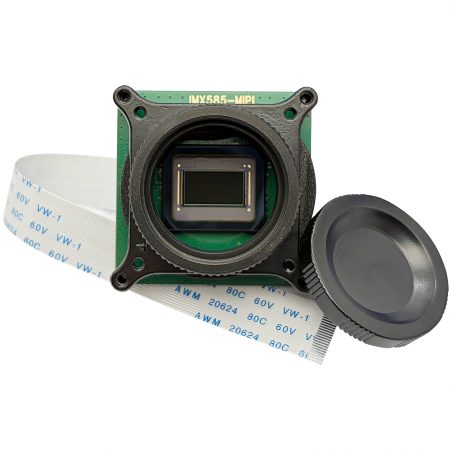
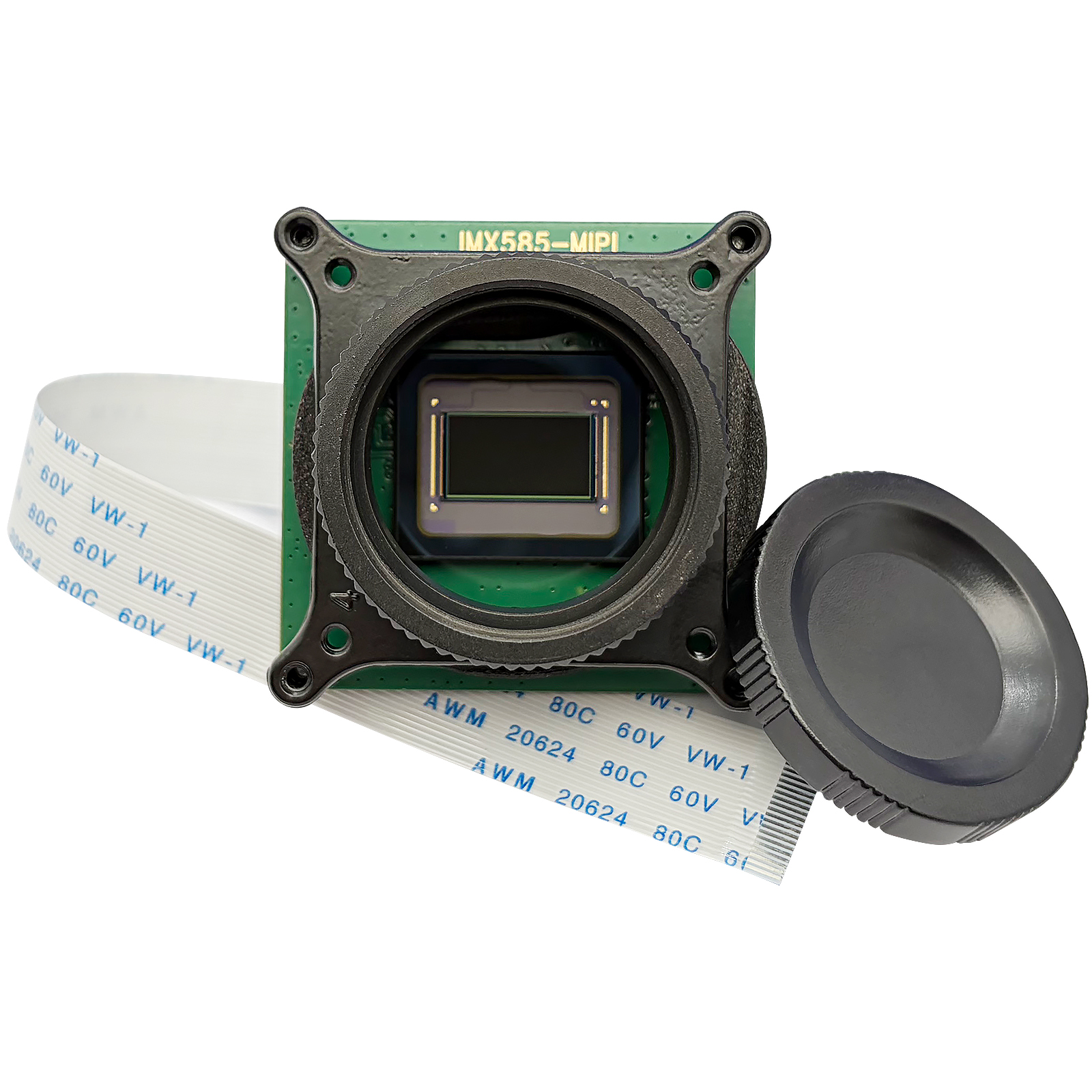
The CAM-IMX585-M is a high-performance monochrome CMOS image sensor designed for demanding imaging applications in embedded systems. Featuring an advanced Starvis 2 back-illuminated pixel structure, this 8.3MP sensor delivers exceptional low-light performance, high dynamic range, and precise image quality across diverse lighting conditions.
With native 3840×2160 (4K UHD) resolution and support for 10/12/16-bit RAW output, the CAM-IMX585-M enables professional-grade imaging for surveillance, industrial inspection, machine vision, and embedded vision applications. The sensor’s MIPI CSI-2 4-lane interface ensures reliable high-speed data transmission to host processors like Raspberry Pi 5 and NVIDIA Jetson.
Note: While the sensor supports 10/12/16-bit RAW output, the current driver configuration operates in 12-bit RAW (R12_CSI2P) mode on Raspberry Pi 5.
1.1 Key Features
- 8.3MP 4K resolution with Starvis 2 technology
- Monochrome sensor for enhanced low-light sensitivity
- MIPI CSI-2 4-lane high-speed interface
- 10/12/16-bit RAW output capability (currently 12-bit)
- Excellent low-light performance with back-illuminated pixels
- Compatible with Raspberry Pi,Jetson Orin Nano (Jetpack6.2.1, Kernel 5.15 )
1.2 Industry Applications
- Security & Surveillance (24/7 monitoring)
- Industrial & Machine Vision (AOI, robotics)
- Broadcast & ProAV (live streaming, drones)
- Scientific & Medical (microscopy, diagnostics)
- Automotive (ADAS, surround-view cameras)
2. Hardware Specifications
2.1 Sensor Specifications
| Parameter | Specification |
|---|---|
| Product Model | CAM-IMX585-M(Monochrome)
CAM-IMX585-C(Color) |
| Sensor Model | Sony IMX585 |
| Sensor Type | CMOS |
| Pixel Technology | Starvis 2 |
| Effective Resolution | 8.3MP |
| Optical Format | 1/1.2″ |
| Pixel Size | 2.9μm × 2.9μm |
| Active Pixels | 3840 (H) × 2160 (V) |
| Max Resolution | 3840×2160 (4K UHD) |
| Supported RAW Output | 10/12/16-bit |
2.2 Video Format & Resolution/Frame Rate
| Resolution | Frame Rate | Pixel Format | Notes |
|---|---|---|---|
| 1928×1090 | 30.00 fps | R12_CSI2P | Cropped from 4K |
| 3856×2180 | 30.00 fps | R12_CSI2P | Native sensor readout |
2.3 Interface & Physical Specifications
| Parameter | Specification |
|---|---|
| Interface Type | MIPI CSI-2 |
| Data Lanes | 4-lane |
| Data Rate | 1.5 Gbps per lane |
| Connector | 22-pin FPC |
| Dimensions | 38mm × 38mm |
| Lens Mount | CS-mount / M12 |
3. Software Installation
This repository provides the necessary drivers, Image Processing Algorithm (IPA) modules, and an automated installation script to enable full support for the IMX585 sensor on Raspberry Pi.
3.1 Repository Contents
pkg1-imx585-driver-6.12y-offline.tar.gz: Offline driver build package.pkg2-rpicam-libcamera-offline.tar.gz: Offline libcamera build package.
3.2 Step 1: Offline Driver Compilation
For advanced users who need to compile the driver from source:
Package: pkg1-imx585-driver-6.12y-offline.tar.gz
Contents:
imx585-v4l2-driver/– Kernel driver source codeinstall.sh– Automated driver installation script
Installation:
$ tar -xzf pkg1-imx585-driver-6.12y-offline.tar.gz
$ cd pkg1-imx585-driver
$ chmod +x install.sh
$ sudo ./install.sh
3.3 Step 2: Offline libcamera & rpicam-apps Compilation
For complete offline compilation of libcamera with IMX585 support and rpicam-apps:
Package: pkg2-rpicam-libcamera-offline.tar.gz
Contents:
libcamera-imx585/– libcamera source with IMX585 IPA supportrpicam-apps-imx585/– rpicam-apps sourcebuild.sh– Automated build and installation script
Installation:
$ tar -xzf pkg2-rpicam-libcamera-offline.tar.gz
$ cd pkg2-rpicam-offline
$ chmod +x build.sh
$ sudo ./build.sh           # Full mode with Qt support
$ sudo ./build.sh --lite    # Lite mode (minimal dependencies)
Build Time: ~30-40 minutes (full mode) or ~15-20 minutes (lite mode)
3.4 Manual Configuration
Edit your /boot/firmware/config.txt (Pi 5) or /boot/config.txt (Pi 4) and add one of the following configurations:
Default (CAM1 port, Color mode):
camera_auto_detect=0
dtoverlay=imx585
Use CAM0 port:
dtoverlay=imx585,cam0
Monochrome mode:
dtoverlay=imx585,mono
CAM0 + Monochrome:
dtoverlay=imx585,cam0,mono
Reboot your Raspberry Pi for the changes to take effect:
$ sudo reboot
4. Testing the Camera
After installation and rebooting, you can verify the camera detection and test its functionality using the standard rpicam-apps.
4.1 Verify Detection
List the available cameras to ensure the IMX585 is detected correctly:
rpicam-hello --list-cameras
4.2 Capture Commands
Live Preview:
rpicam-hello -t 0
Capture a 4K Image:
rpicam-still -o 4k_image.jpg --width 3856 --height 2180
Record a 4K Video (30fps):
rpicam-vid -t 10000 --width 3856 --height 2180 -o 4k_video.h264
5. Support
For technical support, detailed documentation, and product inquiries, please visit INNO-MAKER.